The platform
One core, two front lines.
Enso PM and Enso FM serve two different operating teams. Underneath, they share a common communications and workflow foundation, then apply product-specific knowledge, routing, controls, and connection paths.
Enabled channels feed one accountable workflow
Voice
Supports live intake when voice is enabled and configured for the account.
Keeps forwarded messages, supplied attachments, and follow-up context together.
SMS
Supports consent-aware messaging for configured tenant, prospect, and crew workflows.
The agent loop
Both products follow the same accountable path, adapted to the channels and rules configured for each account.
Answer
Responds through the channels enabled for the account, using the configured hours and routing rules.
Understand
Asks focused follow-up questions and keeps property, urgency, access, and corrections attached.
Act
Creates the configured next step — such as a tour handoff, maintenance request, work order, or on-call alert.
Close
Keeps updates, evidence, confirmation, and human review connected to the work record.
Configured for two different front lines
A shared foundation, with product-specific knowledge, questions, access, and escalation rules for the job each product does.
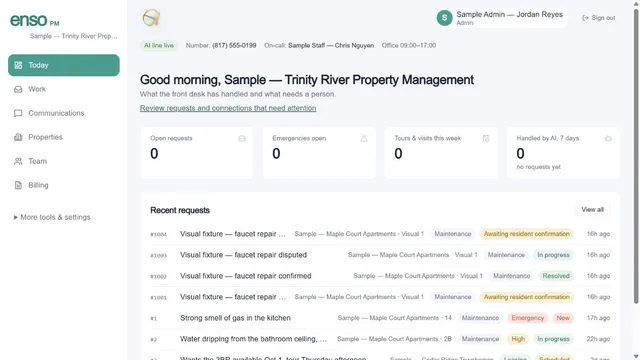
Configured for leasing conversations, tour handoffs, approved availability, resident maintenance intake, and the operating rhythm of a property team.
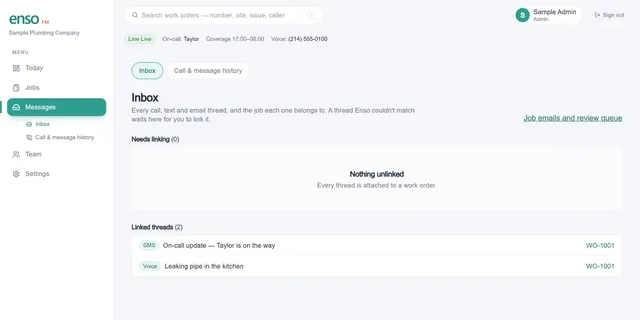
Configured for after-hours intake, urgency and access questions, on-call coverage, technician updates, and documented closeout.
Enso PM vs. Enso FM, at a glance
| Enso PM | Enso FM | |
|---|---|---|
| Built for | Leasing offices & property managers | Trade & maintenance shops |
| Trained on | Tour scheduling, availability, tenant maintenance intake | Urgency triage, site access, on-call routing |
| Connection paths | Buildium, DoorLoop, and Rentvine adapters; APIs and signed webhooks | Email forwarding; APIs, signed webhooks, and exports |
| Typical action | Creates a tour handoff or maintenance request | Creates and routes a structured work order |
| Escalates when | A request needs a human judgment call | The situation is a named emergency |
| Availability | Varies by channel, plan, configuration, and account access | Varies by channel, plan, configuration, and account access |
| Getting started | Workflow and connection review | Workflow and connection review |
Connect without replacing everything
Choose the supported path that fits the product, account access, and systems involved.
Enso PM
Buildium, DoorLoop, and Rentvine adapters can be configured per customer. REST, MCP, and signed-webhook paths are available; Propertyware and Rent Manager require access, while AppFolio and Yardi are coming soon.
Enso FM
Email forwarding, CSV and full-record exports, authenticated APIs, and signed webhooks are supported paths. Native CMMS connectors are coming soon.
Questions, answered
- Is Enso PM the same AI as Enso FM?
- They share a common communications and workflow foundation. Each product then uses its own intake questions, knowledge, hours, access rules, escalation paths, and available connections for the work it handles.
- What happens when the agent can't handle something?
- Configured workflows can route ambiguous, incomplete, sensitive, or out-of-policy requests to a person instead of guessing through them.
- Does Enso replace the software we already use?
- No rip-and-replace is required. Enso PM has provider-specific adapters for Buildium, DoorLoop, and Rentvine that are configured per customer; other providers require access review or are still planned. Enso FM can use email forwarding, authenticated APIs, signed webhooks, and exports, while native CMMS connectors are coming soon.
- Can the agent be configured for how we work?
- Yes. Intake questions, urgency rules, hours, contacts, knowledge, roles, and escalation paths can be configured for the organization and workflow.
- How do we get started?
- Start with a walkthrough of the workflow, channels, team roles, and connection paths you need. Setup time and availability depend on the product, plan, account access, and third-party provider.